

Borlabs Cookie – Centering the Logo and Text
 1 min read
 AI-generated
This article is from 2021. Technology and the law may have changed since then.
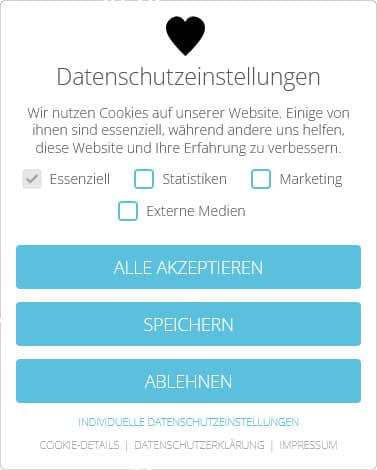
By default, the Borlabs Cookie plugin for WordPress only lets you place a logo next to the heading “Privacy policy”.
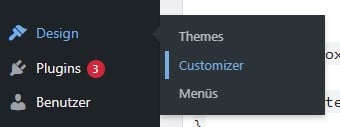
With a bit of CSS, best placed under “Appearance” -> “Customizer” in “Additional CSS“, you can easily change that.
Appearance -> Customizer
Additional CSS
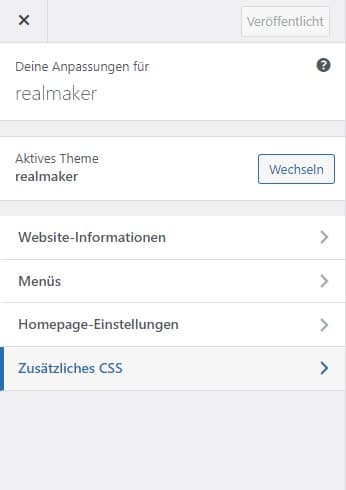
First, make sure the surrounding DIV tag no longer acts as a flex box. The text inside it should also be centered.
#BorlabsCookieBox ._brlbs-flex-center {
display: block;
text-align: center;
}
Next, the logo should be centered. It should also use the full width for its placement, and a bit of spacing below it is a must.
#BorlabsCookieBox .cookie-logo {
margin: 0 auto;
margin-bottom: 0.5rem;
display: block;
}
All that is missing now is the body text, which should be centered as well.
#BorlabsCookieBox p {
text-align: center;
}
The cookie box is done!
Michael Rademacher
Founder of realmaker
Michael Rademacher founded realmaker in 2003. He develops WordPress websites and software, produces films and live streams, and writes here about what he learns in client projects.
About Michael
Rather have it maintained?
Updates, backups and monitoring are handled by wp-einfach.de – for a fixed monthly price (service in German).