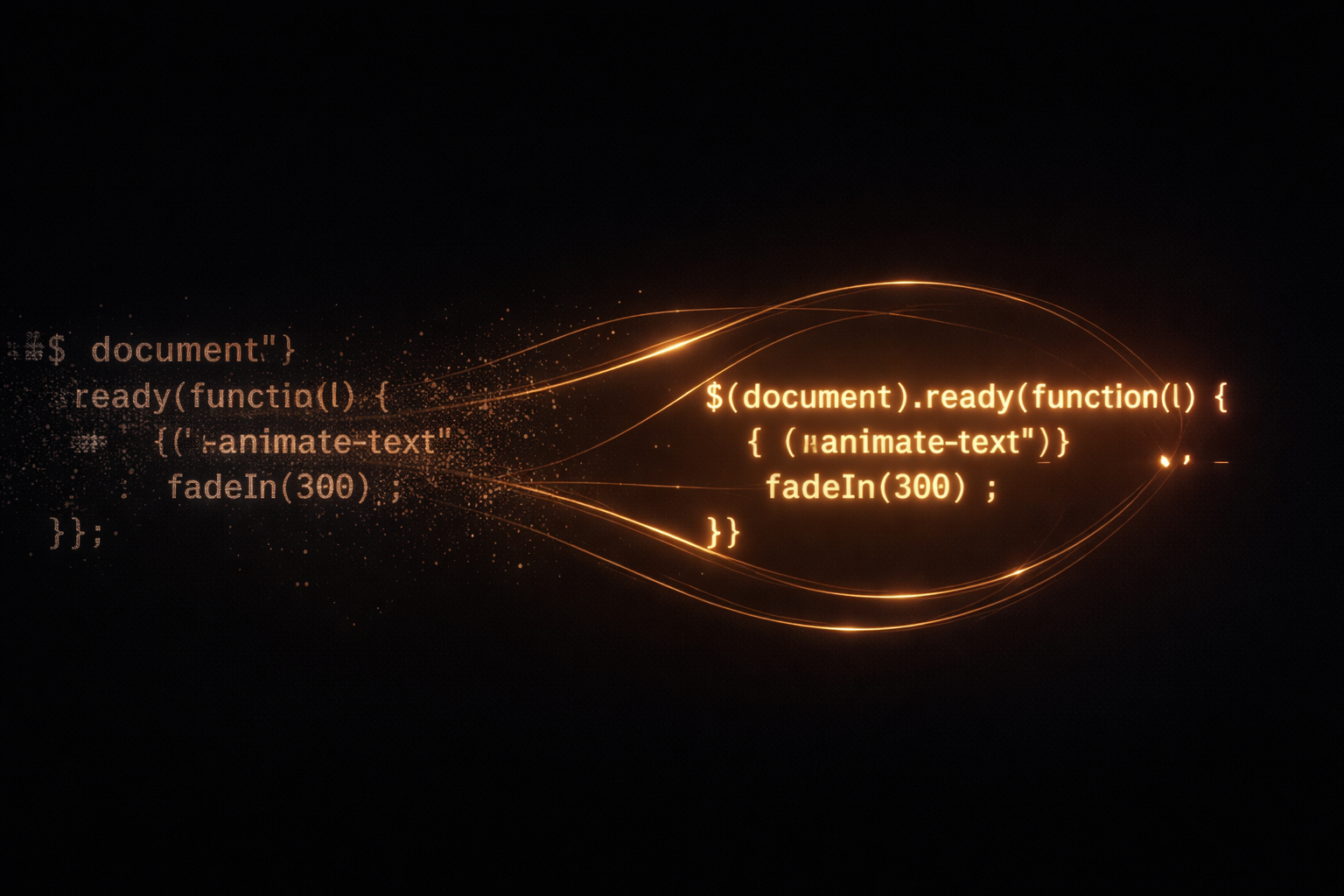
Born from an idea 10 years ago, finally rewritten for the modern web. TextTweener animates text transitions by morphing individual letters to their new positions — shared characters fly smoothly while new ones fade in, creating a mesmerizing „anagram solver“ effect. 4.3KB gzipped. Zero dependencies. GPU-accelerated.
How It Works
TextTweener uses a three-phase approach to create smooth, natural text transitions. Instead of simply fading between texts, each individual character is tracked and animated to its new position — creating the illusion that the text is rearranging itself.
Measure
All texts are rendered invisibly to capture the exact pixel position of every single character. The container auto-sizes to fit the largest text — no fixed dimensions needed.
Match
Characters shared between texts are paired using nearest-neighbor matching. Instead of matching the 3rd ‚e‘ to the 3rd ‚e‘, the algorithm finds the physically closest ‚e‘ — creating much more natural movement paths.
Animate
Matched characters fly to their new positions via CSS transforms (GPU-accelerated). Unmatched characters fade out while new characters fade in simultaneously. Staggered timing adds a fluid, organic feel.
Installation
npm
npm install texttweenerCDN / Script Tag
<script src="https://unpkg.com/texttweener/dist/index.umd.min.js"></script>WordPress
Install the TextTweener plugin and use the Gutenberg block — no code required. Full editor controls for texts, timing, easing, alignment, and font size.
Quick Start
Add a container with text items, then initialize TextTweener. That’s it — no fixed dimensions needed.
HTML
<div id="hero">
  <span class="text">Build something great</span>
  <span class="text">Ship it to the world</span>
  <span class="text">Watch it grow</span>
</div>
JavaScript
import { TextTweener } from 'texttweener';

const tt = new TextTweener('#hero');
// Done. It auto-plays, auto-sizes, and loops.
Or pass texts programmatically — no HTML children needed:
const tt = new TextTweener('#hero', {
  texts: [
    'Build something great',
    'Ship it to the world',
    'Watch it grow',
  ],
});TextTweener handles letters, numbers, special characters, umlauts (äöü), punctuation, brackets, currency symbols (€$£), and emoji. Every character is measured individually and animated correctly.
Options
All options are optional — the defaults work great out of the box.
const tt = new TextTweener('#hero', {
  duration: 4000,            // ms each text is displayed (default: 4000)
  transitionDuration: 800,   // ms for the animation (default: 800)
  stagger: 15,               // ms delay between each letter (default: 15)
  easing: 'cubic-bezier(0.16, 1, 0.3, 1)',  // CSS easing function
  textAlign: 'left',         // 'left' | 'center' | 'right'
  direction: 'forward',      // 'forward' | 'backward' | 'alternate'
  loop: true,                // loop when reaching the end
  autoplay: true,            // start automatically
  caseSensitive: true,       // 'A' only matches 'A', not 'a'
  reduceMotion: true,        // respect prefers-reduced-motion
});| Option | Type | Default | Description |
|---|---|---|---|
| duration | number | 4000 | How long each text is displayed (ms) |
| transitionDuration | number | 800 | Animation duration (ms) |
| stagger | number | 15 | Delay between each letter (ms) |
| easing | string | cubic-bezier(0.16, 1, 0.3, 1) | Any valid CSS easing function |
| textAlign | string | left | left, center, or right |
| direction | string | forward | forward, backward, or alternate |
| loop | boolean | true | Loop when reaching the last text |
| autoplay | boolean | true | Start playing automatically |
| caseSensitive | boolean | true | 'A' only matches 'A', not 'a' |
| reduceMotion | boolean | true | Respect prefers-reduced-motion |
API
TextTweener provides a clean, Promise-based API for full programmatic control.
Methods
tt.play()        // Start or resume playback
tt.pause()       // Pause playback
tt.resume()      // Resume (alias for play)
tt.next()        // Transition to next text (returns Promise)
tt.prev()        // Transition to previous text (returns Promise)
tt.goTo(2)       // Transition to specific index (returns Promise)
tt.destroy()     // Clean up and remove all listeners
Properties
tt.current       // Current text index (read-only)
tt.total         // Total number of texts (read-only)
tt.isPlaying // Whether currently playing (read-only)next(), prev(), and goTo() return Promises that resolve when the animation completes. This makes it easy to chain transitions or synchronize with other animations.
Full Example
import { TextTweener } from 'texttweener';

const tt = new TextTweener('#hero', {
  duration: 4000,
  transitionDuration: 800,
  stagger: 15,
  easing: 'cubic-bezier(0.16, 1, 0.3, 1)',
  textAlign: 'left',
  texts: [
    'Build something great',
    'Ship it to the world',
    'Watch it grow',
  ],
});

// Programmatic control
document.querySelector('#next-btn').addEventListener('click', async () => {
  await tt.next();
  console.log('Now showing text', tt.current);
});

// Pause on hover
const el = document.querySelector('#hero');
el.addEventListener('mouseenter', () => tt.pause());
el.addEventListener('mouseleave', () => tt.play());
Events
Subscribe to lifecycle events with on(). Every call returns an unsubscribe function.
tt.on('ready', () => {
  console.log('TextTweener initialized');
});

tt.on('beforeTransition', (fromIndex, toIndex) => {
  console.log(`Starting transition: ${fromIndex} → ${toIndex}`);
});

tt.on('afterTransition', (fromIndex, toIndex) => {
  console.log(`Finished transition: ${fromIndex} → ${toIndex}`);
});

tt.on('change', (currentIndex) => {
  console.log(`Now showing text ${currentIndex}`);
});

tt.on('pause', () => console.log('Paused'));
tt.on('resume', () => console.log('Resumed'));
tt.on('destroy', () => console.log('Destroyed'));

// Unsubscribe
const unsub = tt.on('change', (idx) => console.log(idx));
unsub(); // remove listener| Event | Arguments | When |
|---|---|---|
| ready | — | Initialization complete, first text visible |
| beforeTransition | fromIndex, toIndex | Animation is about to start |
| afterTransition | fromIndex, toIndex | Animation has finished |
| change | currentIndex | Active text index changed |
| pause | — | Playback paused |
| resume | — | Playback resumed |
| destroy | — | Instance cleaned up |
Platforms
TextTweener is available on three platforms, sharing the same matching algorithm and animation philosophy.
| core | plugin | script | |
|---|---|---|---|
| Use case | Any website or framework | WordPress sites, no code | Motion graphics, video |
| Setup | npm install or script tag | Install plugin, use block | Run script in AE |
| Output | Live CSS animations | Live CSS animations | AE keyframes |
| Customization | Full API + events | Visual block controls | Panel UI |
| Size | 4.3KB gzipped | Plugin includes core | ExtendScript |
WordPress Gutenberg Block
The WordPress plugin adds a native Gutenberg block with visual controls for everything — text inputs, timing sliders, easing presets, alignment, and font size. No code needed. The live demo at the top of this page uses the WordPress block.
The Gutenberg block provides sidebar controls for: adding/removing texts, display duration, transition duration, stagger delay, easing presets, text alignment (left/center/right), font size, and loop toggle. Changes preview live in the editor.
After Effects Script
The After Effects version uses the same nearest-neighbor matching algorithm to generate position and opacity keyframes for each character layer. Perfect for motion graphics and video production.
Accessibility
TextTweener is built with accessibility in mind from the ground up.
Browser Support
All modern browsers. Requires Web Animations API support.
| Browser | Version | Status |
|---|---|---|
| Chrome / Edge | 84+ | Full support |
| Firefox | 75+ | Full support |
| Safari | 13.1+ | Full support |
| Mobile Safari / Chrome | Latest | Full support |
Project Structure
js/                    # Core JavaScript library
  src/                 # TypeScript source
    core/              # TextTweener, Measurer, Matcher, Animator
    utils/             # DOM helpers, accessibility, debounce
    styles.ts          # Structural CSS injection
    types.ts           # TypeScript interfaces
  dist/                # Built output (ESM, CJS, UMD)
  demo/                # Interactive demo page
  test/                # Vitest test suite
wordpress/             # WordPress plugin
  texttweener/         # Plugin directory
    assets/            # editor.js, editor.css, texttweener.umd.min.js
    block.json         # Gutenberg block registration
    texttweener.php    # Plugin main file
aftereffects/          # After Effects ExtendScript
History
About 10 years ago, I had an idea for a text animation in JavaScript: What if individual letters could smoothly fly from one text to another — rearranging themselves like an anagram being solved in real time?
I started analyzing exactly how this animation would need to work. Which letters are shared between two texts? Where does each character need to move? What happens to letters that don’t exist in the next text? After working through the problem, I found a clever approach that could pull off this complex-looking animation with surprisingly simple means and relatively little code.
I was genuinely proud when it worked. The original version was built as a jQuery plugin — the standard tool of the era — and it did its job well. But it was a product of its time: jQuery dependency, no auto-sizing, limited API.
There was never enough time to rewrite it on a modern foundation. Other projects, other priorities. For 10 years, TextTweener sat quietly in its repository — functional, but frozen in time.
Until now. In 2026, I finally gave TextTweener the rewrite it deserved: a complete ground-up rebuild in TypeScript, zero dependencies, GPU-accelerated CSS animations, auto-sizing containers, a nearest-neighbor matching algorithm that creates far more natural movement paths than the original, and a full event-driven API. Plus a WordPress Gutenberg block and an After Effects script — making the same animation available across web and video.
I’m happy to finally present TextTweener in a modern version that lives up to the original idea.
More Demos
Each demo below highlights a different strength of TextTweener — from layout and timing variations to real-world use cases. Watch how shared characters find their way.
Hero Headline — The Classic Use Case
Rotate through your value propositions. Shared characters create natural movement paths.
Anagram Effect — Maximum Character Overlap
Words that share most of their letters make the morphing effect most visible — like watching an anagram solve itself.
Multilingual — Full Unicode
Umlauts, accents, special characters — every character is measured individually.
Slow & Cinematic
Long transition, high stagger — each letter lifts off individually. Feels like a title sequence.
Fast & Snappy
Short duration, quick transition, low stagger. Punchy and energetic.
Sentences That Reshape
Longer texts with significant character overlap — the algorithm finds the optimal paths even across 40+ characters.
Numbers & Data — Dashboard Style
Digits morphing between values. Great for animated statistics or KPI displays.
Brand Personality
Let a brand voice unfold — values, mission, personality, all connected by flowing letters.
Special Characters & Punctuation
Brackets, currency symbols, punctuation, math — everything is a character, everything animates.
Single Word Morphing
Even single words reveal beautiful micro-movements when characters rearrange.
Multiline — Verses & Strophes
TextTweener shines with longer, wrapping text. Constrain the container width and let natural line-breaks create a verse-like rhythm. Every character still finds its path — even across multiple lines.
Poetic — Letters Remembering
Pitch — Why Your Hero Section Deserves Better
Manifesto — Three Beliefs
Song-like — Rhythmic Stacking
Seasonal — Nature’s Rhythm
Testimonial Rotator
A practical use case: rotate client quotes or testimonials with character-level transitions instead of generic fades.
License
MIT — Michael Rademacher